OpenZiti → Azure Sentinel
Ship OpenZiti controller events into Microsoft Sentinel over a push-based, PaaS-only pipeline. OpenZiti v2.0's native Azure Service Bus event sink pushes events to a queue, an Azure Function forwards them through the Azure Monitor Logs Ingestion API, and a Data Collection Rule projects them into a Sentinel custom table. Terraform builds the whole thing: one command up, one command down.
Architecture
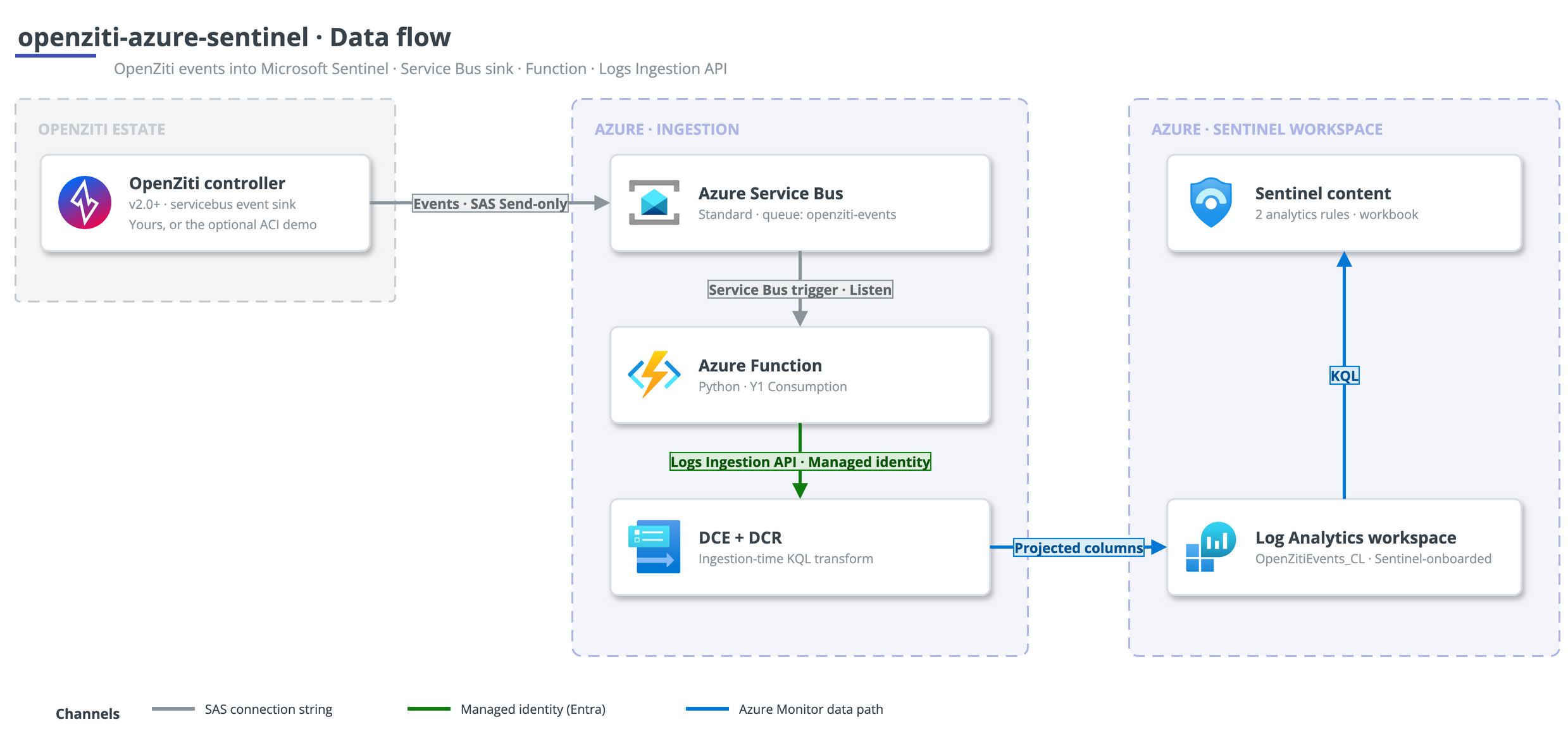
The controller pushes its structured JSON events to the queue over a Send-only SAS rule. The Function is triggered by the queue and forwards each event to the Logs Ingestion API using its system-assigned managed identity. The DCR applies an ingestion-time KQL transform, so the Function stays a schema-stable passthrough and all column projection lives in the DCR.
What you get
- An Azure Service Bus Standard queue (
openziti-events) for durable buffering. - A Python Azure Function (Y1 Consumption) that forwards each event.
- A DCE + DCR with an ingestion-time KQL transform.
- The
OpenZitiEvents_CLSentinel custom table. - Two scheduled analytics rules (authentication-failure spike, configuration change).
- A workbook with event-volume, authentication, and configuration-change panels.
- An optional self-contained demo controller on Azure Container Instances that emits real authentication events, so you can watch the pipeline work end-to-end.
Where to go next
- How it works - one event's journey from controller to Sentinel.
- Deployment - quickstart, production shape, and the variables.
- Architecture - why the pipeline is shaped this way.
- Troubleshooting - the failure modes hit while building this, and their fixes.